Spybot2.4.40
Publisher Description
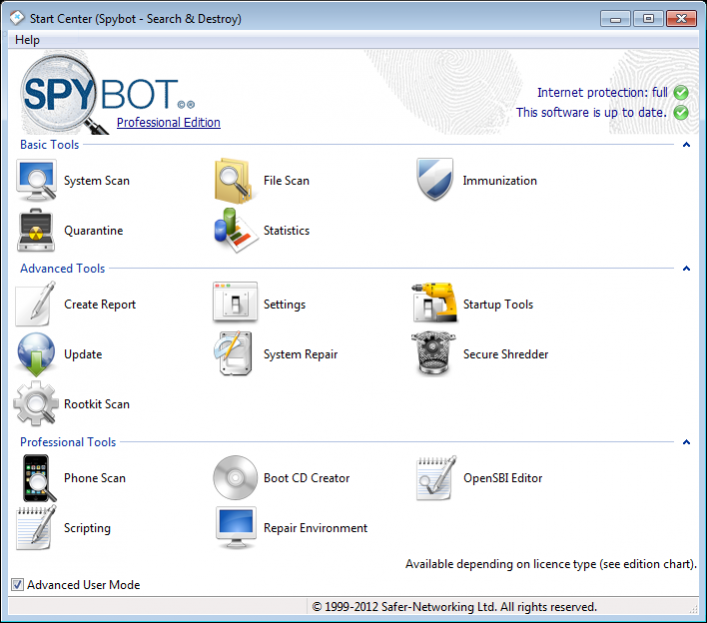
Spybot searches your hard disk for so-called spy- or adbots; little modules that are responsible for the ads many programs show. But many of these modules also transmit information about your surfing behaviour and more to the net. If Spybot finds such modules, it can remove them - or replace them with empty dummies in case their host won't work any more with its bot removed. In most cases, the host software still runs after removing the bot. For a list of 'supported' bots see the feature lists below. Another feature of Spybot is the removal of usage tracks, which makes it more complicated for unknown spyware to transmit useful data. The list of last visited websites, opened files, started programs, cookies, all that and more can be cleaned. Supported are the three major browsers Internet Explorer, Firefox and Opera. Last but not least Spybot contains some routines to find and correct invalid entries into the registry.
About Spybot
This Antispam & Antispy Tools program is available in English, French, German, Hungarian, Italian, Polish, Russian. It was last updated on 29 September, 2026. Spybot is compatible with the following operating systems: Windows.
The company that develops Spybot is Safer-Networking Ltd.. The latest version released by its developer is 2.4.40. This version was rated by 30 users of our site and has an average rating of 3.1.
The download we have available for Spybot has a file size of 46.1 MB. Just click the green Download button above to start the downloading process. The program is listed on our website since 2014-07-01 and was downloaded 2,396 times. We have already checked if the download link is safe, however for your own protection we recommend that you scan the downloaded software with your antivirus. Your antivirus may detect the Spybot as malware if the download link is broken.
How to install Spybot on your Windows device:
- Click on the Download button on our website. This will start the download from the website of the developer.
- Once the Spybot is downloaded click on it to start the setup process (assuming you are on a desktop computer).
- When the installation is finished you should be able to see and run the program.
Program Details
General
System requirements
Download information
Pricing
Version History
version 2.4.40
posted on 2014-07-01
Fixed problems when bdcore.dll is updated, for antivirus updates the proxy settings were ignored, we rephrased the message that is printed when no new updates are available to be more user-friendly, updating was broken for users of the Polish translation
version 1.5.2
posted on 2008-01-30
immunization sometimes needed to be applied twice before sticking, file shredder is re-added, it's possible to remove entries from the user blacklist in the Internet Explorer plugin, reduced starting time
